Installation of CBun
How to install the Spin Robotics CBun plugin for Kassow Robots.
Download the latest Spin Robotics CBun and the accompanying Kassow Robots Kord CBun.
Copy the two files to a USB drive.
Insert the USB drive into the robot controller.
From the menu
on the teach pendant, select Settings/CBuns.
Remove any existing Kassow Robots Kord CBun by selecting the CBun and pressing the - button.
Press the + button to install Kassow Robots Kord CBun from the USB drive.
Select Kassow Open Realtime Data from the list of CBuns and press the other + button to the right.
Repeat steps 4-7 for the Spin Robotics CBun.
Select the Workcell tab and verify that the two Custom Devices KORD_UDP AND SPIN are present as shown in the image below.
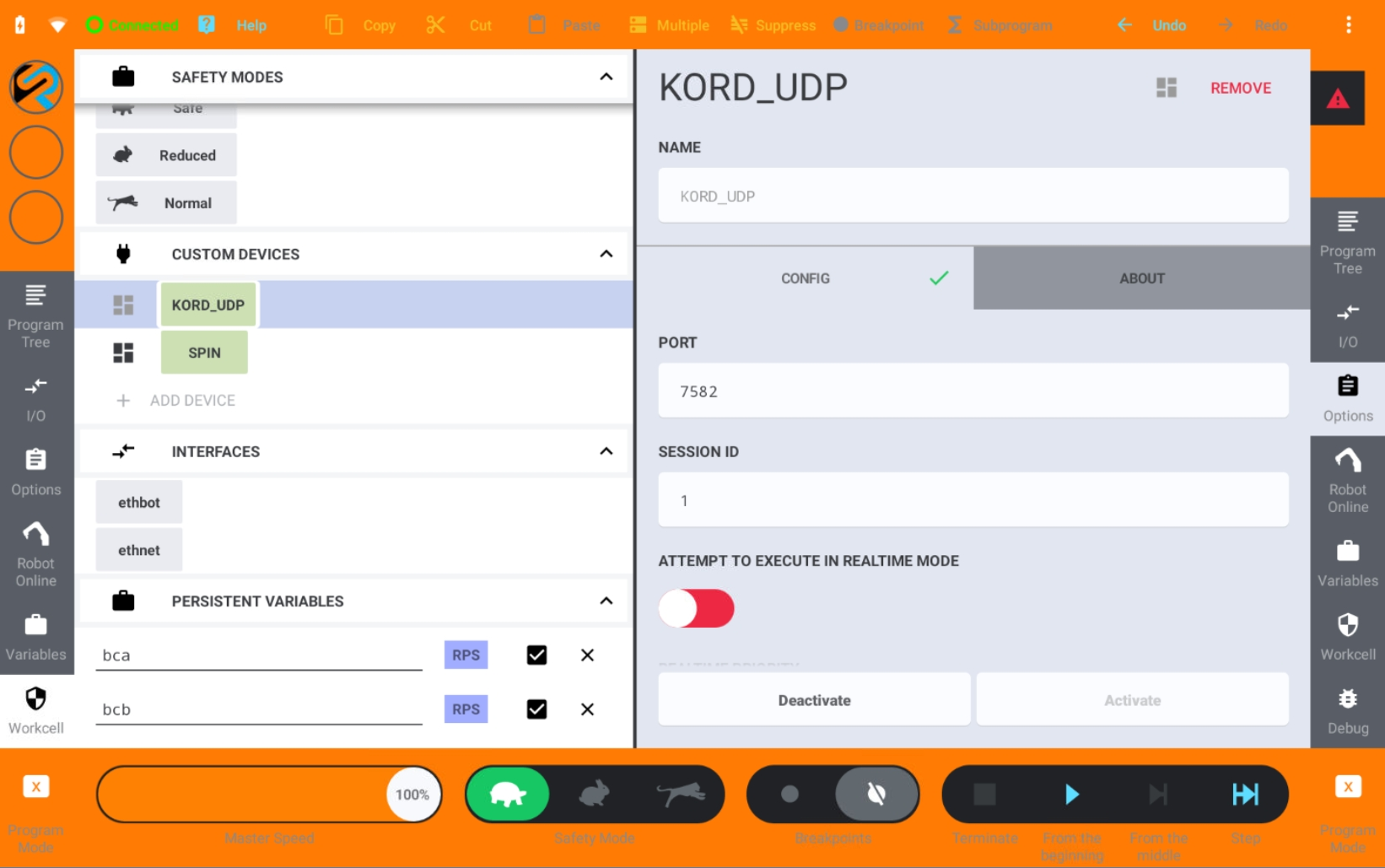
Custom Devices
Note
The Kassow Robots Kord CBun enables the SpinBridge to communicate with the Kassow Robots controller. The Kord version must be correct for the Spin Robotics CBun version.