Automatic Bit Changing
The Change Bit program command is used to change the screwdriving bit in runtime. When run the command will make the robot move to the Bit Changing Station and attach or detach the selected bit.
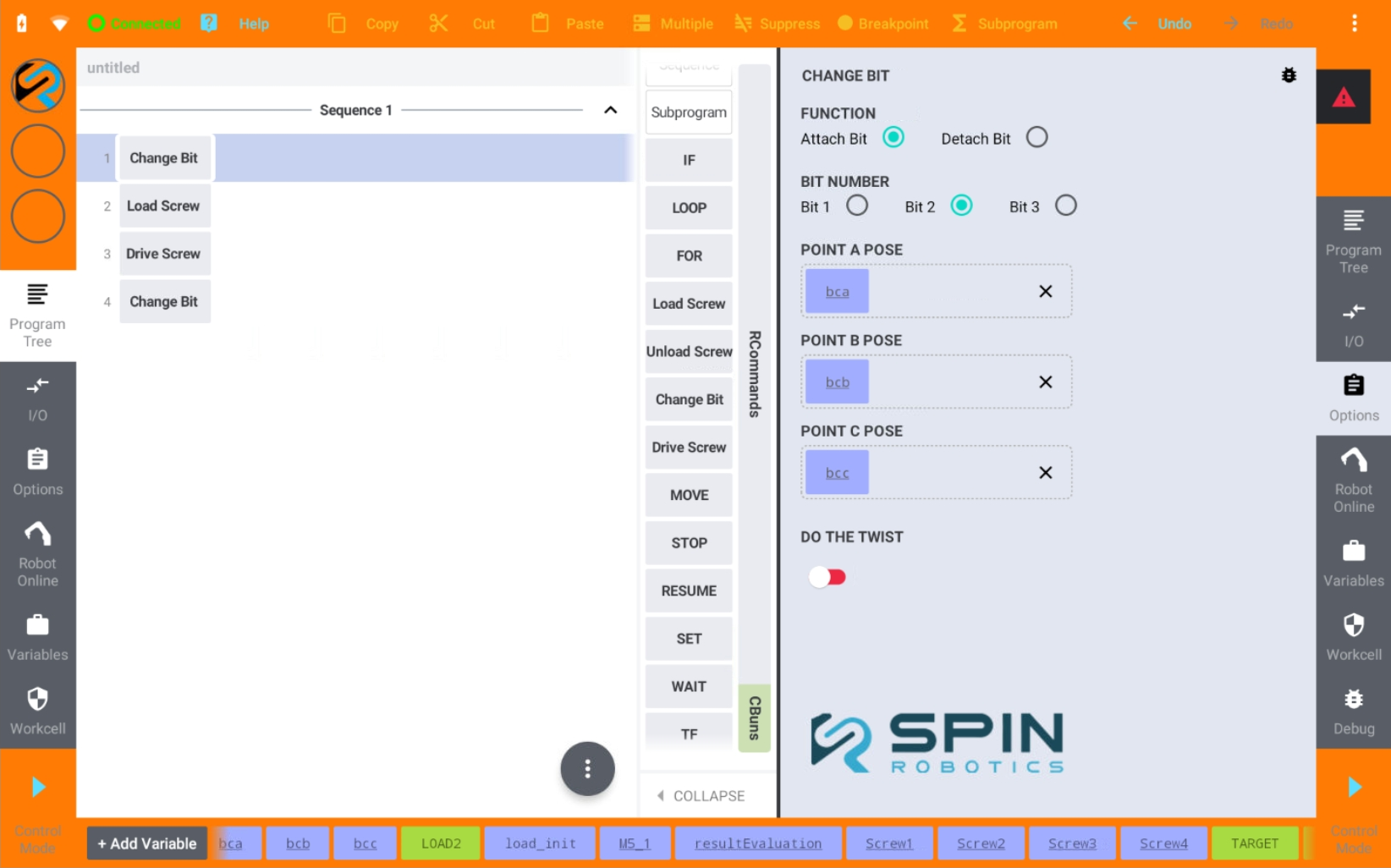
Change Bit options panel.
From the Commands panel drag and drop the Change Bit program command to the program tree.
Select Attach Bit or Detach Bit.
Select the bit number you want to attach.
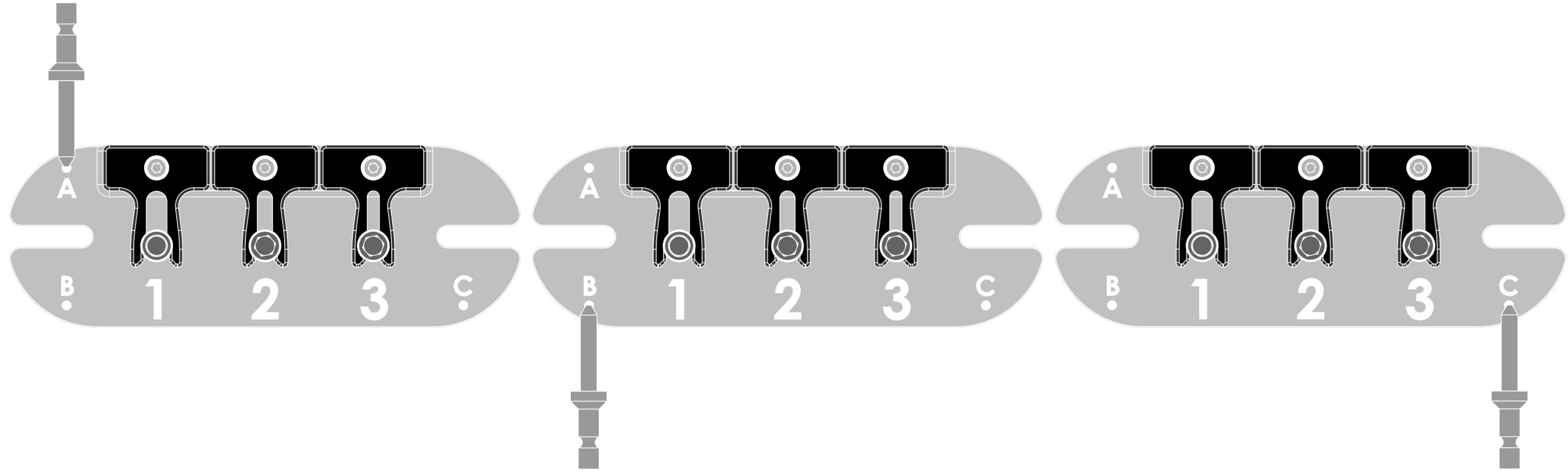
The position and orientation of the Bit Changing Station must be defined. This is done by teaching the three points A, B and C. Save each pose in a variable and drag and drop the variable to the corresponding field. Be sure to teach each point accurately and in the correct order. See Teaching a Position.
Option
Do The Twist Enable this option if you want the tool motor to rotate back and forth when attaching a bit. This is useful when the position of the Bit Changing Station is not perfectly set up. It slows down the process but increases the chances of a successful bit attachment.